
Remittance posting and denial management, in one queue.
Remittance advice is matched to your claims and posted line by line. Insurer bank payments are allocated claim by claim. Denials wait in one queue, soonest deadline first — each with a suggested next step.
Remittance in · Deposits allocated · Denials worked to deadline
- NABIDH
- DHA-ready
- DHPO / eClaimLink
- Encrypted & backed up
- Local UAE team
The money insurers owe you hides between three files
The remittance says one thing, the bank statement another, and the list of denials lives in someone’s spreadsheet. Part-paid claims are forgotten, deadlines pass, and the same denial comes back next month.
ClinicGateway keeps all three together, per claim — what the insurer decided, what reached the bank and what is still owed.
Denial Management & Remittance Inside ClinicGateway
Remittance, matched and posted
Remittance advice from DHPO is read automatically, or imported as DHA XML or an insurer’s CSV. Each claim is matched — or told why it was not — and posted as paid, part paid or denied, including recoveries.
- DHPO, XML or CSV
- Unmatched lines explained
- Paid, part paid, denied, recovered
Insurer deposits, allocated
When an insurer’s payment reaches the bank, record it once, link the remittances it covers and allocate it across claims — oldest visit first, or adjust any figure. Allocations can be reversed with a reason.
- One deposit, many claims
- Oldest-first allocation
- Reversible, with an audit trail
Denials worked to deadline
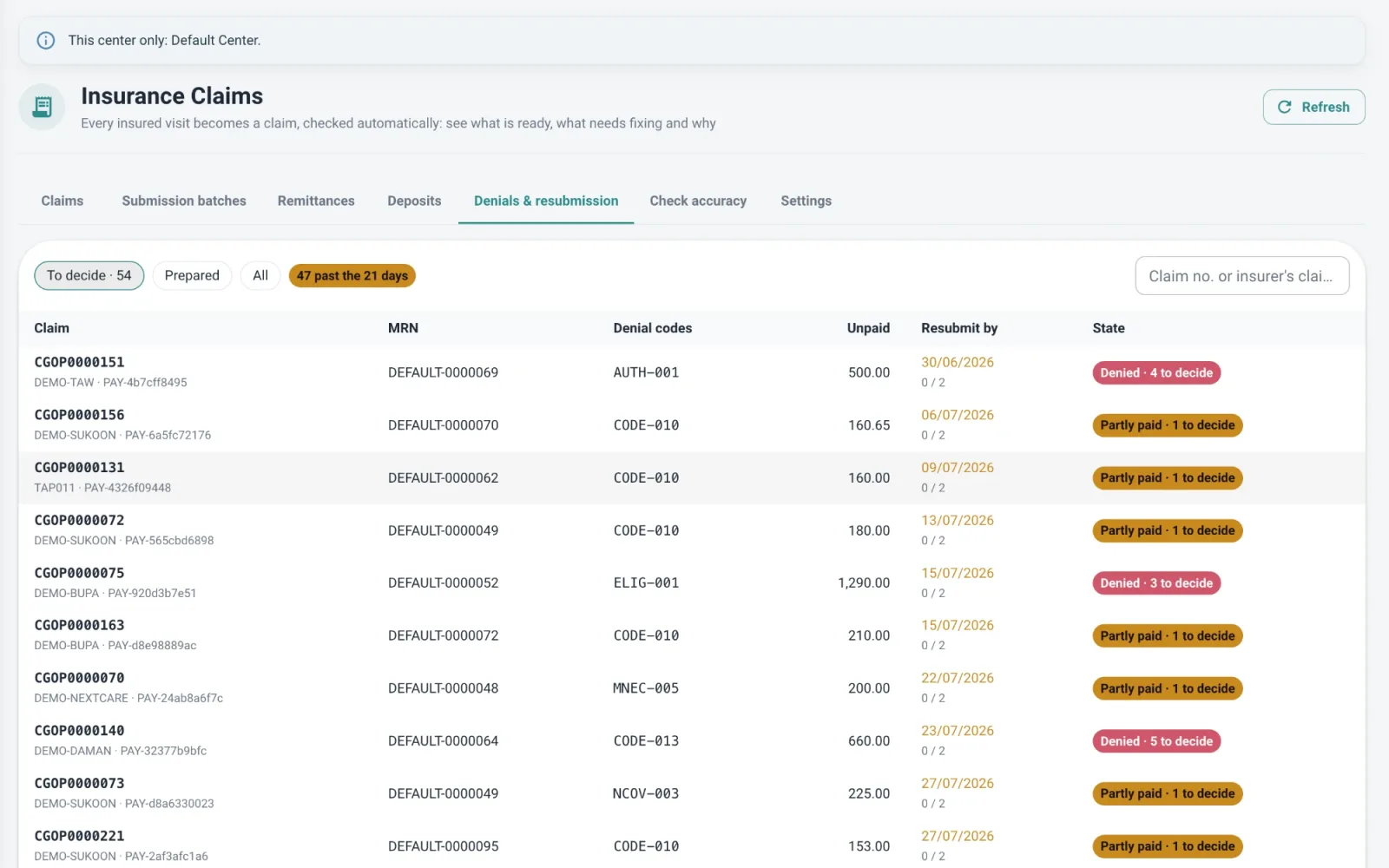
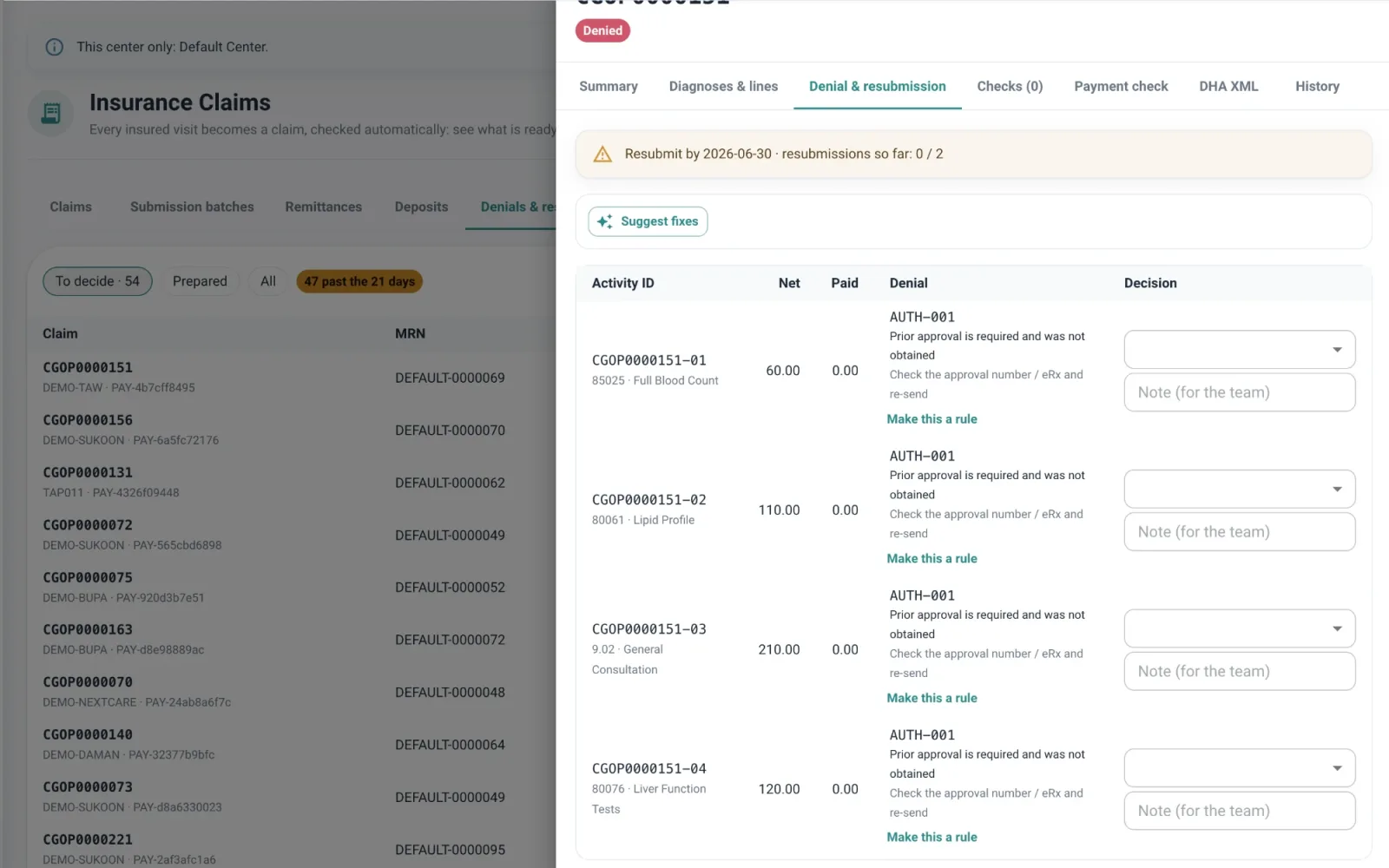
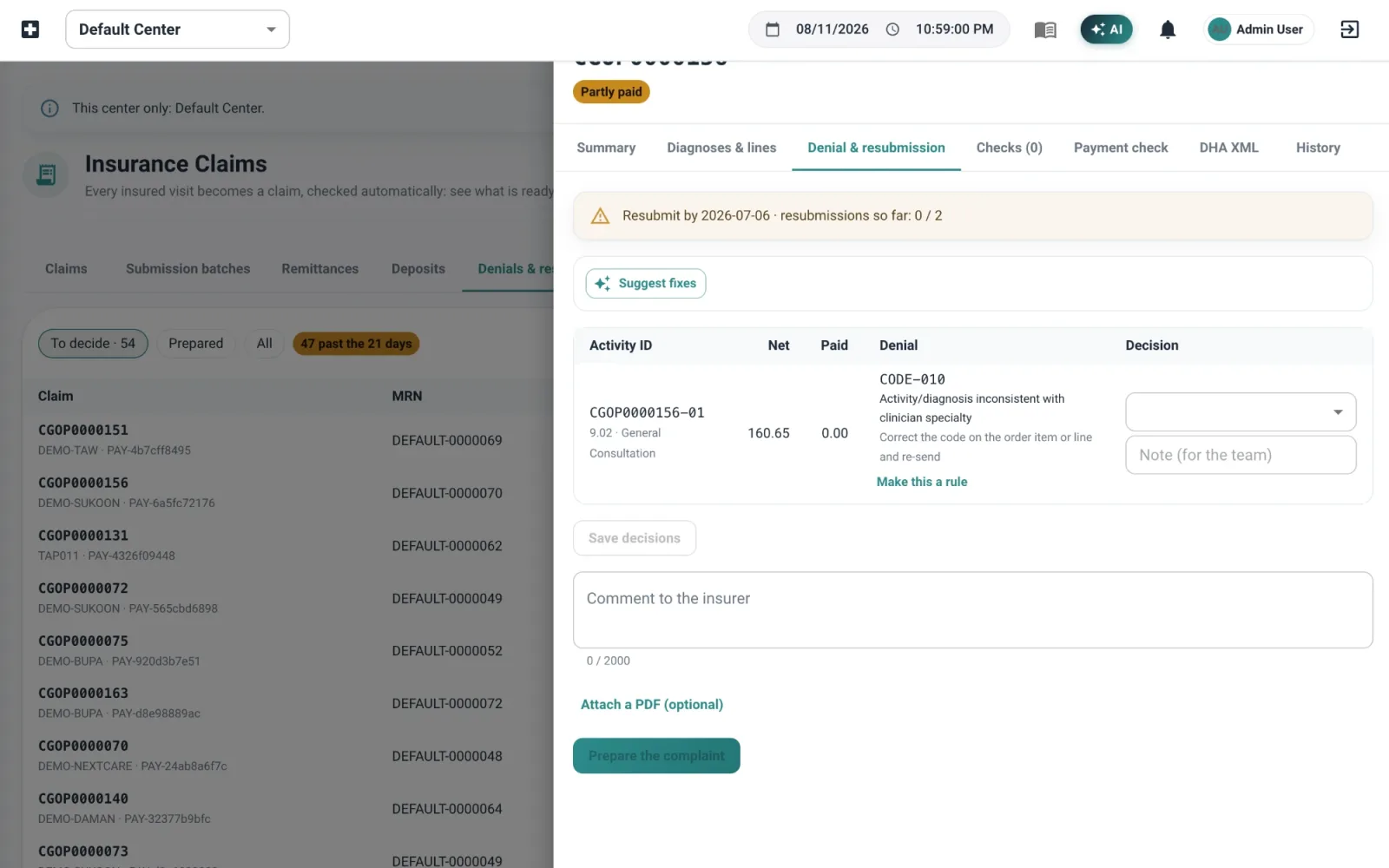
Denied and under-paid claims are listed soonest deadline first. For each line choose complaint, correction or accept, with the denial code’s suggestion shown, then resubmit in the next batch.
- Deadline countdown per claim
- Complaint, correction or write-off
- Resubmitted through the same batches
Learn from every denial
An AI denial advisor explains the denial code and suggests the fix, and a diagnosis question can go straight to the visit’s doctor. Turn any denial into a rule so claim scrubbing catches it next time.
- AI advice per denial code
- Ask the doctor from the claim
- “Make this a rule”
What’s included
- Remittance advice read automatically or imported (XML / CSV)
- Matched and posted per claim and per line
- Insurer bank deposits allocated claim by claim
- Denials queue sorted by resubmission deadline
- Complaint, correction or write-off for every denied line
- AI denial advisor and “make this a rule”
Money insurers owe you is easy to lose between a remittance file, a bank statement and a spreadsheet. ClinicGateway ties the three together: what the insurer decided, what reached the bank, and what is still owed — per claim.
Every denial you resolve can become a rule, so the same rejection is caught by claim scrubbing next time instead of coming back again.
Common questions
What is a remittance advice?
Can we import remittances from insurers outside DHPO?
How are bulk insurer payments allocated?
How do we keep track of resubmission deadlines?
What do denial codes mean?
More of ClinicGateway
Claim Scrubbing & Payment Check
Catch rejections before the insurer does.
Insurance & e-Claims
DHPO / eClaimLink submission with fewer rejections.
Billing & Finance
VAT invoices, a cashier desk and a balanced day.
Prior Approvals
Pre-authorisation requests that go out complete.
Insurance Contracts & Price Lists
Every insured visit priced right at booking.
Analytics & Dashboards
Clinic productivity and financial overview dashboards.
See Denial Management & Remittance on your clinic’s workflow
15 minutes, no jargon, with someone who knows how UAE clinics run.